# Flow Step: Date
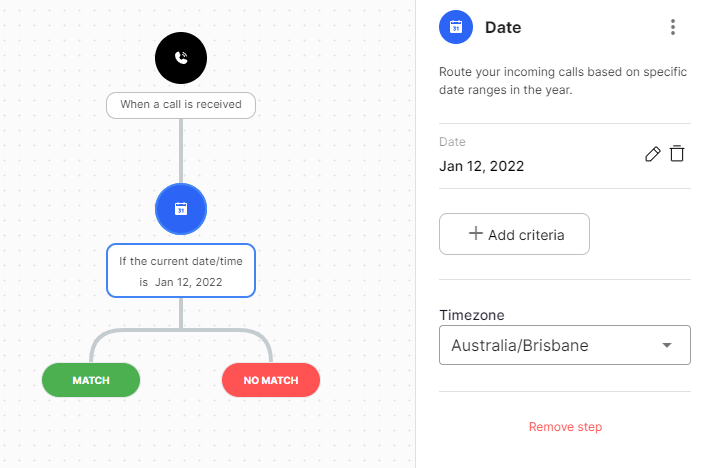
The Date step allows you to route calls based on specfic dates & times. E.g Christmas day, Easter etc.
## Configuration
Field | Description
--|--
Criteria | Specifies multiple criteria to route calls. The criteria are below
**Date**: A specific date
**Date & Time**: A specific date and time
**Date Range**: A specific date range
**Date & Time Range**: A specific date & time range
Timezone | The timezone to use for the specified criteria.
## Exits
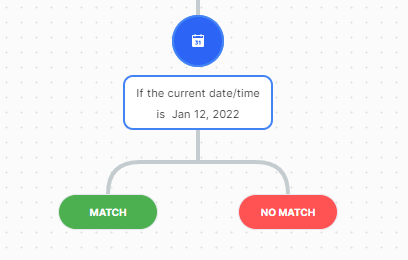
Users can add additional steps after a Date step based on the whether the call details matched the criteria specified or not. To do this simply drag a step to the desired dropzone. Also note that the Date step has no dropzone and instead the match and no match exits are generated automatically as its recommended that there are following steps for both exits. E.g see below example of the named dropzones for the Date step.
Type | Description
--|--
Match | The match exit will be used if the call details match the specified criteria.
No Match | The no match exit will be used if the call details do not match the specified criteria.