

Securing Your Enfonica Account
Security is a fundamental part of modern communications. Whether you’re managing phone numbers, SMS campaigns, voice services or customer communications workflows, protecting access to your telecommunications platform is critical.
At Enfonica, security isn’t an afterthought; it’s built into everything we do. We are secure by design, with enterprise-grade security integrated throughout our products, infrastructure and development practices. Our goal is to provide businesses with the flexibility they need while ensuring their services remain protected.
This article outlines the key security features available in the Enfonica Console and the steps you can take to keep your account secure.
Manage user access with IAM policies
One of the most effective ways to improve security is ensuring users have access to only the resources they need.
The Enfonica Console allows you to manage Identity and Access Management (IAM) policies at the project level, giving you complete control over who can access your services and what actions they can perform.
How to manage users
- Sign in to the Enfonica Console.
- Select the project you want to manage.
- Navigate to Settings > Users.
- Select an existing user to edit their permissions, or add a new user.
- Choose the appropriate role and confirm your changes.
Available roles
When adding a user, you’ll assign one of the following roles:
Owner: Full access to all Enfonica resources and settings.
Editor: Edit access across all Enfonica resources.
Viewer: Read-only access across all Enfonica resources.
Custom Roles: Granular access controls tailored to specific responsibilities.
Custom role permissions
Custom Roles allow you to assign either Viewer or Editor permissions to individual Console features, including:
- Messaging
- Phone Numbers
- Voice
- Flow
- SMS Marketing
- Caller ID Reputation
- Media Storage
This flexibility helps organisations implement the principle of least privilege, ensuring users only have access to the resources required for their role.
Verify your email address
A verified email address is an important part of account security. We recommend all users verify their email address as soon as possible by navigating to Settings > Account > Verify.
Email verification helps protect your account and ensures you receive important notifications regarding your services and security.
Enable Two-Factor Authentication
Passwords alone are no longer enough to protect critical business systems.
For added security, Enfonica supports Two-Factor Authentication (2FA) using Time-based One-Time Password (TOTP) authenticator applications.
When enabled, users must provide both their password and a temporary authentication code generated by their authenticator app.
To enable Two-Factor Authentication:
- Sign in to the Enfonica Console.
- Navigate to Settings > Account.
- Enable Two-Factor Authentication.
- Follow the prompts to pair your preferred authenticator app.
This simple step significantly reduces the risk of unauthorised account access.
Built-in protection
Enfonica’s commitment to security extends beyond account access. The latest Enfonica Console update introduces a refreshed interface, powerful new tools and deeper visibility into your communications services, including Toll fraud prevention tools.
Combined with flexible IAM controls, multi-factor authentication and automated fraud protection, the Enfonica Console provides businesses with greater control over both their communications infrastructure and security posture.
At Enfonica, we continuously invest in security, reliability and platform protection. By taking advantage of the security features available in the Enfonica Console, including user access controls, email verification and TFA, you can help safeguard your account and communications services.
To update your account and security settings, sign in to the Enfonica Console today.
Related
Implementing a Business Continuity Plan for your Call Center
From platform outages to natural disasters, unexpected events can quickly disrupt your call center’s operations. When your business depends on being available to…
Continue reading: Implementing a Business Continuity Plan for your Call Center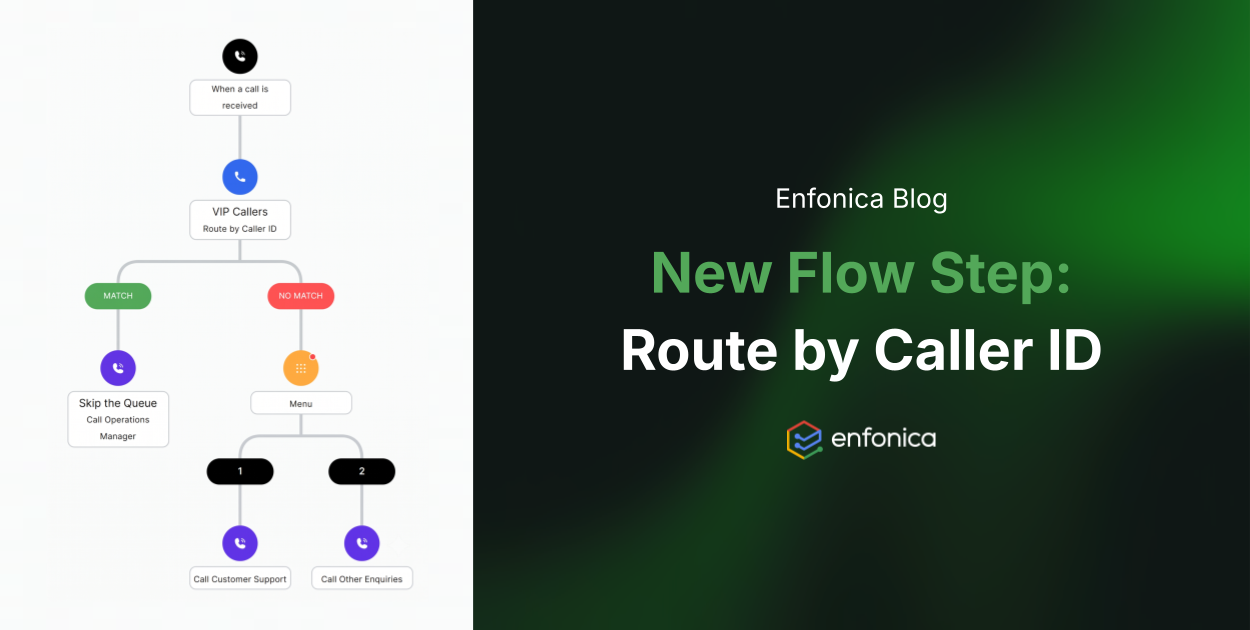
Introducing Route by Caller ID in Flow
Not all calls are created equal. Your biggest client calling about a renewal deserves a very different experience to an unknown number that’s called four times this week…
Continue reading: Introducing Route by Caller ID in Flow
A Seamless Migration for Motion Australia
When Motion Australia needed a reliable partner to support their 1800 HOSE VAN service, they turned to Enfonica for a modern, flexible telecommunications solution. Their…
Continue reading: A Seamless Migration for Motion Australia